

• Home
  • Products
    • Channel Manager
    • Revenue Management Service
    • Hotel Booking Engine
    • Hotel Revenue Management System
  • Company
    • About Us
    • Partners and Investors
    • Careers
    • News/Media
    • Reviews
    • Support
    • Contact Us
  • Integrations
  • Resources
    • Blogs
    • Ebooks
    • Case Studies
    • Guide
  • Login
    • Channel Manager
    • Booking Engine
    • Revenue Management System
  • Request Demo
sales@axisrooms.com
support@axisrooms.com
Support: +91 8061914800
AxisRooms AxisRooms
AxisRooms AxisRooms
  • Home
  • Products
    • Channel Manager
    • Revenue Management Service
    • Hotel Booking Engine
    • Hotel Revenue Management System
  • Company
    • About Us
    • Partners and Investors
    • Careers
    • News/Media
    • Reviews
    • Support
    • Contact Us
  • Integrations
  • Resources
    • Blogs
    • Ebooks
    • Case Studies
    • Guide
  • Login
    • Channel Manager
    • Booking Engine
    • Revenue Management System
  • Request Demo
  • Request Demo

How to List Your Hotel on Booking.com | Step-by-Step Guide 2026 

Home How to List Your Hotel on Booking.com | Step-by-Step Guide 2026 

How to List Your Hotel on Booking.com | Step-by-Step Guide 2026 

TL;DR
Listing on Booking.com is free, but success depends on optimized listings, competitive pricing, reviews, OTA visibility programs, and automated management to avoid manual booking errors.

Summarize this blog post with:

ChatGPT Perplexity Claude Grok

Getting listed on Booking.com today isn’t just about visibility; it’s about being part of where bookings actually happen. Travelers compare multiple options, filter aggressively, and often decide within minutes. If your hotel isn’t positioned correctly on OTAs, you’re missing high-intent demand.

At the same time, simply listing your property isn’t enough. What really matters is how well you set it up, from pricing and content to availability and policies. 

In this guide, you’ll learn how to list your hotel on Booking.com step-by-step, what to prepare before registration, and how to build a listing that actually converts.

What Is Booking.com Partner Registration?

Booking.com partner registration is the process of listing your hotel so it becomes discoverable and bookable by global travelers. It gives independent hotels access to a demand pool they otherwise wouldn’t reach on their own.

Beyond visibility, it also simplifies booking management from guest communication to payments while building trust through reviews and a consistent user experience. For most hotels, it’s the starting point of a strong online distribution strategy.

Why Booking.com Is Important for Hotel Distribution

Booking.com plays a central role in how hotels attract and convert online demand today, especially for independent properties.

Key reasons why it matters:

  • Global Visibility – Reach travelers across multiple countries, languages, and currencies
  • Level Playing Field – Helps independent hotels compete with large chains
  • Billboard Effect – Guests discover you here, then often book direct
  • High Trust Factor – 140M+ verified reviews drive booking confidence
  • Lower Operational Effort – Handles bookings, payments, and communication
  • Advanced Tools & Reach – Supports pricing, visibility, and performance tracking

In simple terms, Booking.com helps hotels scale demand faster while reducing distribution complexity.

Read Also – Hotel Dynamic Pricing for Independent Hotels: How to Boost Revenue Without Guesswork

Step-by-Step Guide to Add Your Property on Booking.com

Getting your hotel live on Booking.com is straightforward, but how you fill out each step impacts your performance later. Here’s how to do it right:

  1. Create a Partner Account
  • Go to join.booking.com and click “List your property”
  • Register using your email and password
  • You can pause and resume the process anytime
  1. Enter Property Details
  • Select your property type (hotel, apartment, villa)
  • Add accurate location and property name
  • Define room count, layout, and capacity
  1. Add Facilities & Amenities
  • List amenities like Wi-Fi, parking, or pool
  • Assign amenities to specific room types
  • Mention the languages spoken by staff
  1. Upload Photos
  • Add high-quality images (minimum 1024×683 px)
  • Include rooms, bathrooms, and exterior
  • Avoid watermarks and misleading visuals
  1. Set Pricing and Availability
  • Define base rates and currency
  • Update your availability calendar
  • Choose your payment model
  1. Define Policies
  • Set cancellation, check-in/out, and house rules
  • Clearly define guest policies
  1. Verification and Go Live
  • Complete KYP verification
  • Click “Make my property live”
  • Listing appears within 24 hours

A complete and accurate setup at this stage improves both your visibility and booking performance from day one.

Read Also – How to Choose the Best Dynamic Pricing Software for Hotels 2026

Documents and Information Needed Before Booking.com Registration

Before you begin, it helps to keep all required details ready. This avoids delays and ensures your listing goes live smoothly.

What You’ll Need

  • Personal & Business Details: Legal name, date of birth, country of citizenship, and contact details for account setup and verification.
  • Property Information: Exact address, property type (hotel, apartment, etc.), and amenities to ensure accurate listing visibility.
  • Proof of Identity (KYP): A valid government-issued ID, such as a passport or driver’s license, for compliance checks.
  • Proof of Address: A recent bank statement, utility bill, or credit card statement (issued within the last 6 months).
  • Legal / Business Documentation: Company registration details and tax identification number if registering as a business entity.
  • Banking Information: Bank account details to receive payouts from bookings.
  • Photos of the Property: High-quality images that showcase rooms, amenities, and overall experience, which directly impact booking decisions.

Manage All Best Hotel PMS One Place

Request a Demo
CTA Image
Having these details ready upfront makes the onboarding process smoother and reduces back-and-forth during approval.

How to Add Rooms, Photos, Facilities, Policies, and Rates on Booking.com

Once your property is registered, the next step is setting up your listing inside the Booking.com extranet. This is where accuracy and structure directly impact your visibility and conversions.

Follow these steps to complete your setup:

  1. Add Rooms and Room Details
  • Go to Extranet → Property tab → Room details / Property layout
  • Click “Create a new room” and enter the room type, name, and bed configuration
  • Set maximum occupancy (adults and children)
  • Click Continue
  1. Add Photos
  • Go to Property → Photos
  • Upload at least 24 high-resolution images (1024×683+, no watermarks)
  • Assign photos to specific room categories
  • Use smart ordering to optimize display
  1. Set Facilities and Amenities
  • Go to Property → Facilities & Services for overall amenities
  • Go to Property → Room Amenities for room-level features
  • Mark amenities clearly (Wi-Fi, AC, TV, etc.)
  1. Set Policies
  • Navigate to Property → Policies
  • Define:
    • Children & pets rules
    • House rules and guest expectations
    • Cancellation and payment policies
  • Set check-in and check-out timings
  1. Set Rates and Availability
  • Go to Rates & Availability → Calendar
  • Select dates and click Open to enable bookings
  • Add pricing and create rate plans (flexible, non-refundable)
  • Configure occupancy-based pricing if required
  1. Manage via Mobile (Pulse App)
  • Log in to the Pulse app
  • Go to Property details → Photos
  • Add or edit images directly from your phone

A structured setup like this not only improves your listing score but also ensures guests get clear, accurate information, which directly impacts booking decisions.

Read Also – What Is Dynamic Pricing in Hotels? Strategies, Factors & Examples

Expert Tips to Rank #1 on Booking.com: Ranking Algorithm Explained to Stay on Top

To rank #1 on Booking.com, once your listing is live, the next challenge is visibility. Booking.com’s algorithm prioritizes properties that are more likely to convert bookings.

Key Factors That Influence Ranking

Factor What It Means Impact
Conversion Rate How often views turn into bookings Strongest ranking signal
Pricing Competitiveness Competitive rates vs nearby hotels Improves booking likelihood
Availability Open the calendar with more dates Increases visibility
Review Score Guest ratings and feedback Builds trust and ranking
Program Participation Genius / Preferred Boosts exposure

Optimization Strategies

  • Target niche filters (like pet-friendly or family stays) to appear in refined searches
  • Keep cancellation rates low to maintain trust signals
  • Respond quickly to guest queries to improve service metrics
  • Use targeted promotions instead of dropping base prices

In simple terms, Booking.com rewards hotels that are easy to book, fairly priced, and consistently reliable, and that’s what drives consistent ranking growth over time.

Booking.com Preferred Partner Program (High Cost, High ROI): What is it? 

Once your listing starts performing well, Booking.com offers ways to further boost visibility. One of the most impactful is the Preferred Partner Program, designed for hotels that want to scale faster.

Key Details of the Program:

  • Eligibility: Properties must maintain strong performance, including high booking demand, good review scores, and competitive pricing. Eligibility is reviewed every 90 days.
  • Benefits: Hotels receive a “thumbs-up” icon, improved search ranking, and access to Preferred Plus for top-performing properties.
  • Cost: While the standard commission is around 15%, Preferred Partners pay a higher commission fee for increased visibility.
  • ROI Drivers: The program aims to balance higher commission with increased occupancy and revenue, especially during low-demand periods.
  • Flexibility: Hotels can opt out anytime through the extranet without long-term commitment.

For hotels looking to boost visibility without aggressive discounting, this program can act as a strong demand accelerator if the higher commission fits your revenue strategy.

Booking.com Genius Program (Cost-per-Click/Discount): What You Should Know About It

To drive more bookings, Booking.com also offers the Genius Program, a loyalty-based system that increases visibility by offering exclusive discounts to repeat users.

Key Details of the Program:

  • Structure: A three-tier loyalty system (Level 1, 2, 3) based on the number of completed bookings within two years.
  • Discounts for Users: Starts at 10% and can go up to 15–20%, often bundled with perks like free breakfast or room upgrades.
  • Partner Requirements: Properties typically need a minimum review score of 7.5 and must offer at least a 10% discount on their best-selling room.
  • Visibility & Costs: Participation improves search positioning and adds special badges, but often requires deeper discounts or added perks to stay competitive.
  • Impact on Strategy: While it can drive up to 45% more bookings and 40% more revenue, it reduces rate control as Booking.com manages the offer.

For hotels focused on boosting occupancy quickly, the Genius Program can deliver strong results, but it works best when aligned with a clear pricing and revenue strategy.

Preferred Partner vs. Genius: Key Differences

Both programs are designed to improve your hotel’s visibility on Booking.com, but they work in very different ways. Understanding how they complement each other helps you decide where to focus.

Key Differences at a Glance

Aspect Preferred Partner Genius Program
Focus Performance-based visibility Loyalty-driven demand
Cost Higher commission Discount-led participation
Visibility Boosted ranking in search Wider reach among repeat users
Booking Impact Improves visibility Increases booking volume

Key Takeaway: Use Preferred for visibility and Genius for conversion; together they create a strong growth engine.

Preferred Partner vs. Genius: How to Use Them Together

Understanding each program individually is useful, but the real impact comes when you use them together as part of a coordinated distribution strategy.

How to Use Them Together

  • Stacking for Visibility & Conversion: The Genius discount works like a targeted rate, stacking with other pricing strategies to improve both visibility and booking conversion.
  • Activation: Go to the Extranet → Boost Performance to enable Genius. Preferred Partner status is automatically applied if you meet performance criteria.
  • Strategic Use: Combine Genius, targeted rates (like mobile-only deals), and Preferred status to capture high-intent travelers across different booking behaviors.
  • Manage Constraints: Genius allows flexibility (opt-out anytime or block up to 30 days/year), while Preferred requires consistent performance to maintain eligibility.
  • Best Practice: Use Preferred status to increase visibility and Genius to convert that visibility into confirmed bookings.

When used together, these programs shift from being optional features to becoming powerful levers in your hotel revenue strategy, helping you balance reach, pricing, and conversion more effectively.

How Reviews, Availability, Pricing, and Content Impact Visibility

Once your listing is live, these four factors directly influence how often your property appears and how well it converts.

What impacts your visibility most:

  • Reviews: Higher scores (8.0+) improve trust and ranking
  • Availability: More open dates = more chances to appear in search
  • Pricing: Competitive, dynamic pricing increases booking likelihood
  • Content Quality: Complete listings with strong photos perform better

Even with the right setup, small gaps in these areas can quietly reduce visibility, which is why consistent monitoring matters as much as initial setup.

Common Booking.com Listing Mistakes to Avoid

Even well-listed hotels lose bookings due to small but avoidable mistakes. These issues often don’t seem critical at first, but they directly impact visibility, guest trust, and conversion.

Common mistakes hoteliers make:

  • Overbooking (Manual Calendar): Failing to sync calendars across platforms leads to double bookings, operational stress, penalties, and negative reviews.
  • Delayed Guest Communication: Late replies create distrust and reduce ranking. Use tools like Pulse or templates for faster responses.
  • Neglecting Visibility Tools: Not using Genius or Preferred Partner programs limits exposure. Test them while tracking ROI vs commission.
  • Poor Quality Listing Content: Outdated or low-quality photos create mismatched expectations. Keep visuals accurate and amenities clearly listed.
  • Vague Policies & Pricing: Unclear check-in rules, cancellation terms, or extra fees lead to guest dissatisfaction and drop-offs.
  • Not Actively Updating Availability: Inaccurate inventory or static pricing reduces visibility and revenue opportunities.
  • Ignoring Review Management: Not responding to reviews, especially negative ones, hurts credibility and future bookings.

Most of these mistakes aren’t strategic; they’re operational. Fixing them early helps you protect both your ranking and your revenue as bookings scale.

Booking.com Go-Live Checklist for Hoteliers

Going live on Booking.com isn’t just a switch; it’s a coordinated setup across systems, content, and operations. A small miss here can lead to pricing errors, overbookings, or poor first impressions.

Here’s a structured checklist to get it right from day one:

  1. Technical & Connectivity Setup (Foundation)
  • PMS Mapping Check – Ensure inventory maps correctly to room types
  • Test Booking – Run a dummy booking + cancellation to verify real-time sync
  • Go-Live Certification – Complete API certification if using a new channel manager
  1. Content & Listing Optimization (Visibility)
  • High-Quality Photos – Upload clear images of rooms, bathrooms, and exterior
  • Accurate Property Info – Select all facilities to match guest expectations
  • Clear Room Names – Use descriptive names for better search visibility
  • Defined Policies – Set check-in, cancellation, and payment terms clearly
  1. Inventory & Pricing Setup (Revenue)
  • Open Inventory Calendar – Ensure availability for the next 12–18 months
  • Set Rate Plans – Add base rates, discounts, and non-refundable options
  • Apply Restrictions – Configure MLOS or CTA rules for peak demand periods
  1. Operational Readiness (Go-Live Moment)
  • Activate Property – Mark listing as “Open/Bookable” in the extranet
  • Inform Your Team – Align front desk, reservations, and housekeeping
  • Confirm Payment Setup – Validate whether payments are OTA-handled or direct
  1. Final Pre-Launch Review
  • Check Mobile View – Ensure listing looks correct on the Booking.com app
  • Validate Tax Details – Confirm VAT and local taxes are applied correctly

A structured go-live ensures your listing performs correctly from the first booking, avoiding common issues like sync errors, pricing mismatches, or guest dissatisfaction.

How Hotels Can Manage Multiple OTAs with AxisRooms Channel Manager?

As your hotel starts listing on multiple OTAs, managing rates and availability manually becomes difficult to sustain. This is where errors, overbookings, and missed revenue opportunities begin.

AxisRooms Channel Manager helps you manage distribution across platforms from a single place, keeping your inventory, pricing, and bookings perfectly in sync.

Key capabilities:

  • Real-Time OTA Sync – Updates rates and availability instantly across all connected platforms
  • Centralized Control – Manage inventory and pricing from one dashboard
  • Overbooking Prevention – Auto-updates inventory across channels after every booking
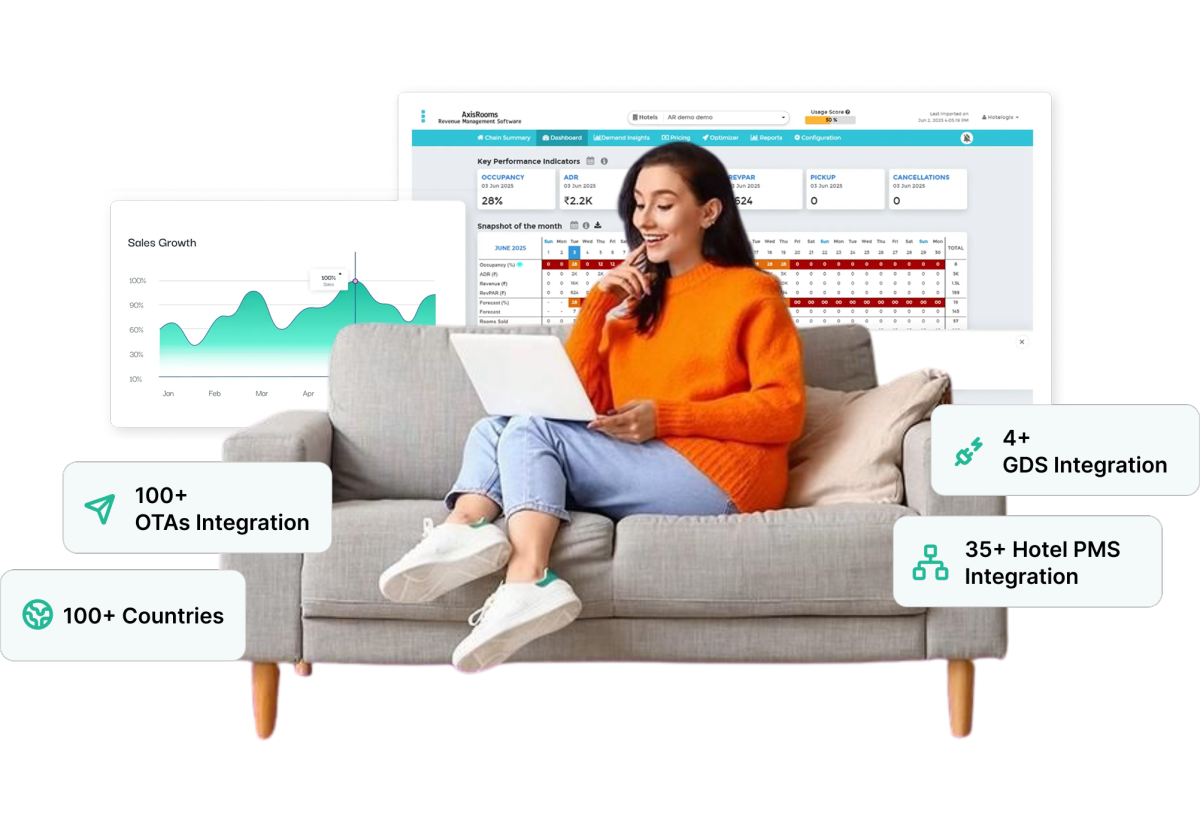
  • Wide OTA Connectivity – Connect with 100+ OTAs to expand reach
  • Revenue Optimization Support – Adjust pricing based on demand and market trends

Instead of managing multiple extranets manually, hotels can rely on a centralized system to maintain accuracy, improve visibility, and scale distribution with confidence.

Conclusion

Listing your hotel on Booking.com is just the starting point. What drives consistent bookings is how effectively you manage rates, availability, and visibility as demand changes.

Managing one OTA is simple. Managing 5, 10, or 20 manually is where rate errors, overbookings, and missed revenue begin.

That’s where channel management software for hotels like AxisRooms Channel Manager makes a difference. It lets you update rates, dynamic pricing, and inventory across multiple OTAs from a single dashboard, ensuring every channel stays accurate in real time while you focus on growing revenue, not fixing errors.

Maximize Hotel Revenue with Axisrooms

Book a free Demo
Support Agent

FAQs

Listing is free, but Booking.com charges a commission (typically 15–18%) per confirmed booking.

Yes, hotels must provide valid ID, tax details (GST/PAN), and business information to complete verification and comply with local regulations.

Yes, a single partner account can manage multiple properties, making it easier to control listings from one dashboard.

Hotels have the option of choosing between Booking.com-managed payments, where the platform collects payment, or allowing guests to make direct payments at the property.

Most listings go live within 24 hours after verification, though visibility improves gradually based on performance and content quality.

Booking.com provides onboarding support, help center resources, and regional partner assistance, along with 24/7 support in many markets.

Yes, hotels can connect Booking.com with their PMS or booking engine, allowing real-time updates across channels and improving distribution efficiency.

Preferred Partners get higher visibility and ranking in exchange for higher commission and consistent performance.

Hotels set their own policies, but Booking.com enforces them through its system, including handling guest disputes and payment flows.

Booking.com uses secure payment systems, fraud detection, and data protection protocols to safeguard transactions and guest information.

Using channel management software for hotels like AxisRooms Channel Manager ensures real-time inventory sync across all platforms, preventing double bookings and manual errors.

Abhishek Saurabh

Abhishek

Explore Topic

Subscribe

Join the newsletter to get the latest updates.

Table of Contents

    Request a Demo

    AR Ebook

    AxisRooms
    AxisRooms App AxisRooms App

    Sign up for Our Newsletter

    Be the first to hear about our announcements, get important news, amazing offers & inside scoops

      AxisRooms pci AxisRooms ssl

      Company

      • About Us
      • Investors
      • Careers
      • News/Media
      • Support
      • Reviews
      • Contact Us
      • Privacy Policy
      • Terms and Conditions
      • Articles

      Products

      • Channel Manager
      • RM as Service
      • Web Booking Engine
      • Hotel Revenue Management System

      Why Axisrooms?

      • Staah Alternative
      • Aiosell Alternative
      • Siteminder Alternative
      • Rategain Alternative
      • DJUBO Alternative

      Axisrooms

      A complete suite of products for the hospitality industry

      Headquarters

      • 3287, Sriram Samanthu Chambers, 3rd Floor, 12th Main, Indiranagar, Bengaluru, Karnataka 560038

      Sales

      • +91-9880330001
      • sales@axisrooms.com

      Support

      • +91-7026568280
      • support@axisrooms.com

      For support escalations

      • Arun
      • +91-9972181199
      • arun@axisrooms.com

      Contact Support

      • +91 8067488900
      • +91 8067417900
      • support@axisrooms.com
      Claim your 15-day free trial or request a demo
      Dynamic Pricing Popup

      By submitting this form, you accept our Privacy Policy