

If you’re running a hotel in today’s competitive market, relying on just walk-ins or one OTA isn’t enough anymore. Platforms like Cleartrip have quickly become important demand drivers, especially for Indian hotels targeting mobile-first and domestic travelers.
But here’s the catch: simply listing your hotel doesn’t guarantee bookings. Many properties go live and still struggle because their setup isn’t optimized. Missing details, poor pricing, inventory gaps, or the absence of a proper revenue management system can quietly cost you visibility and revenue.
In this guide, you’ll learn how to list your hotel on Cleartrip step-by-step, what documents you need, and how to optimize your listing to actually drive bookings, not just go live.
What Is Cleartrip Hotel Listing and Extranet Access?
Cleartrip’s hotel listing allows properties to showcase rooms, pricing, and availability to travelers browsing the platform. The Cleartrip extranet (CAMP) acts as the backend system where hoteliers manage their listings, inventory, and bookings.
Through this dashboard, you can update room availability, modify pricing, upload images, and manage reservations in real time. For most hotels, it becomes the control center for managing Cleartrip performance efficiently.
Why Indian Hotels Should Consider Listing on Cleartrip
Cleartrip has grown significantly, especially after its integration with Flipkart, giving hotels access to a highly active, mobile-first user base.
Key benefits:
- Access to Flipkart & Myntra Users: Tap into a large, premium audience, including loyalty users and repeat shoppers
- High Demand in Leisure Markets: Strong growth in destinations like Jaipur, Manali, and Coorg
- Premium Getaways Program: Target high-value guests looking for curated luxury stays
- ClearChoice Flexibility: Flexible cancellations improve conversion rates and booking confidence
- High-Impact Sales Campaigns: Events like NationOnVacation drive spikes in bookings and visibility
- Advanced Merchandising Tools: Features like 360° images improve listing engagement
In simple terms, Cleartrip helps hotels access a fast-growing domestic audience while offering tools to improve visibility and conversion.
Step-by-Step Guide to Register Your Hotel on Cleartrip
Getting your hotel listed on Cleartrip is a guided process, but each step requires accurate details to avoid delays during approval.
Follow these steps to complete your registration:
- Visit the Partner Platform
- Go to the Cleartrip Activities Management Platform (CAMP)
- Click on registration and create your partner account
- Select your business type (hotel, agency, or service provider)
This is where your onboarding begins, and your account is created.
- Submit Business Details
- Fill in your email ID, phone number, and business classification
- Provide basic property or business information as required
These details are used for initial verification and partner communication.
- Document Verification and Contract
- A Cleartrip representative will contact you for verification
- Submit ID proof (PAN, Aadhaar) and address details
- Provide bank details (including two cancelled cheques)
- Review and sign the contractual agreement
This step confirms your eligibility and activates your partner status.
- Set Up Your Property in the Extranet
- Once approved, access the Cleartrip extranet (CAMP dashboard)
- Add room types, pricing, inventory, amenities, and images
- Configure availability and booking policies
This setup directly impacts how your property appears to travelers.
- Alternative: Corporate Listing (Cleartrip for Business)
- Visit Cleartrip for Business if targeting corporate stays
- Click “Request a demo” and submit your details
- A representative will assist with onboarding
Ideal for hotels focusing on long-stay or corporate bookings.
A structured setup ensures your listing goes live smoothly and is ready to attract bookings without operational gaps.
Documents and Property Details Required for Cleartrip Listing
Before starting your registration, it’s best to keep all required documents and property details ready to avoid delays during verification.
What you’ll need to submit:
| Category | What to Provide |
| Identity Proof | PAN card, Aadhaar, or valid government ID |
| Bank Details | Bank account details + 2 cancelled cheques |
| Business Documents | GST certificate, MSME registration (if applicable) |
| Property Details | Hotel name, full address, Google Maps location |
| Room Information | Room types, occupancy, bed configuration |
| Photos | High-quality images of rooms, bathrooms, and exterior |
| Policies | Check-in/out timing, cancellation rules, child policy |
Keeping these documents ready ensures faster approval and avoids back-and-forth with the onboarding team.
How to Add Rooms, Rates, Inventory, Photos, and Policies
Once your account is approved, your listing setup process begins; this is when your property becomes bookable and visible to guests.
Follow these steps inside the Cleartrip extranet:
- Add Rooms and Room Details
- Go to the dashboard → Room Setup section
- Create room types with name, size, and bed configuration
- Set maximum occupancy (adults/children)
- Add Rates and Rate Plans
- Navigate to Rates & Pricing
- Set base price, currency, and room-wise pricing
- Create rate plans (e.g., non-refundable, breakfast included)
- Set Inventory and Availability
- Open the availability calendar
- Mark rooms as available for upcoming dates
- Update inventory based on season or demand
- Upload Photos
- Go to the Photos section
- Upload high-resolution images of rooms, bathrooms, and common areas
- Organize images by room category
- Set Policies and Amenities
- Navigate to Policies & Settings
- Define check-in/check-out times, cancellation rules, and payment terms
- Add amenities like Wi-Fi, parking, AC, etc.
- Review and Go Live
- Double-check all details before publishing
- Ensure pricing, availability, and policies are accurate
A well-structured setup doesn’t just make your property live; it ensures your listing is accurate, competitive, and ready to convert bookings consistently.
Manage All Your OTAs from One Place
How Independent Hotels Can Grow Sales via Cleartrip
Once your listing is live, growth depends on how well you use Cleartrip’s ecosystem to attract the right demand, not just more bookings.
What actually works:
- Direct Contracting for Better Visibility: Work closely with Cleartrip to improve placement and access to curated demand
- Premium Getaways for High-Value Guests: Target travelers willing to pay more for curated and experiential stays
- Flipkart Integration (SuperCoins): Tap into a loyalty-driven audience with higher repeat booking potential
- ClearChoice Flexibility: Offer flexible cancellations to reduce booking hesitation and improve conversion
- Participate in Sales Campaigns: Leverage events like NationOnVacation to capture demand spikes
- Cross-Sell Experiences: Add local tours or activities to increase booking value per guest
Growth on Cleartrip isn’t just about being listed; it’s about using these tools strategically to improve both visibility and booking value over time.
How to Improve Visibility and Avoid Listing Gaps
Even a well-listed hotel can lose bookings due to small gaps in pricing, availability, or content. Staying consistent and competitive is what keeps your property visible and bookable at all times.
What you should focus on:
- Maximize Profile Content: Complete every section with high-quality images and detailed descriptions to improve ranking and guest trust
- Use a Channel Manager for Real-Time Sync: Ensure availability updates instantly across platforms to avoid booking gaps or overbooking risks
- Leverage Price Trends for Competitive Pricing: Align your rates with recent demand patterns to stay visible to price-sensitive travelers
- Optimize Landing Content and Keywords: Use relevant travel keywords and clear descriptions to improve search discoverability
- Monitor Listing Performance Regularly: Check your listing status and content frequently to ensure it remains live and accurate
- Fix Technical Issues Quickly: Address sync or display errors immediately to prevent visibility drops or missed bookings
Consistent monitoring and timely updates ensure your listing stays competitive, visible, and ready to capture demand without gaps.
Common Cleartrip Hotel Listing Mistakes to Avoid
Even a well-listed property can face booking issues when small details are overlooked. Understanding these common mistakes helps avoid guest dissatisfaction and operational gaps.
Common Issues and Why They Happen
| Issue | Why It Happens |
| Incorrect Location Expectations | Listings may appear closer to landmarks than they actually are, leading to guest dissatisfaction |
| Over-reliance on Photos | Hotel images may not reflect current conditions or service quality |
| Unclear Booking Policies | Guests often skip reading cancellation or modification rules, causing confusion later |
| Hidden Costs at Checkout | Taxes and additional fees may not be clearly visible upfront |
| Unconfirmed Bookings | Lack of proper confirmation can lead to booking discrepancies |
| Wrong Property Selection | Guests may not differentiate between budget stays and premium hotels |
Tips for a Better Booking Experience
- Book in advance: Helps secure better rates and availability, especially during peak seasons
- Use filters smartly: Narrow down options by location, price, and amenities
- Check policies carefully: Review cancellation rules, check-in timings, and guest restrictions
Most booking issues don’t come from the platform; they come from missed details. Fixing these early helps ensure a smoother guest experience and fewer operational surprises.
Cleartrip Listing Checklist for Hotels
Before going live, a structured checklist helps ensure your listing is accurate, connected, and ready to handle bookings without errors.
✅ Setup & Verification
- Set up your property in your channel manager before connecting to Cleartrip
- Request API credentials via Cleartrip support if using direct integration
- Ensure Name, Address, and Phone (NAP) details match across all platforms
✅ Property Details
- Upload high-quality images of rooms, bathrooms, and amenities
- List all facilities clearly (Wi-Fi, parking, pool, etc.)
- Verify location details and nearby landmarks
✅ Inventory & Pricing
- Define room types with clear descriptions
- Sync inventory to enable instant bookings
- Set competitive pricing and clear cancellation/check-in policies
✅ API & Channel Management
- Test search, booking, and cancellation flows before going live
- Ensure room “hold” logic is enabled to prevent overbooking
- Validate real-time sync between systems
✅ Corporate / Business Listings
- Register via Cleartrip for Business if targeting corporate demand
- Set up roles, permissions, and company profile details
- Upload branding elements like logo and company info
A complete checklist like this helps prevent common issues like pricing errors, booking failures, or inventory mismatches once your listing is live.
MakeMyTrip vs Goibibo vs ClearTrip: Which Works Better?
Each OTA attracts a different type of traveler, so the real decision isn’t which is better; it’s how each fits into your hotel’s distribution strategy.
Comparison Table
| Factor | MakeMyTrip (MMT) | Goibibo | Cleartrip |
| Best Fit | Full-service travel (hotels, flights, packages) | Budget-focused, deal-driven users | Fast, simplified booking experience |
| User Experience | Feature-rich but slightly complex | Dynamic, deal-heavy interface | Clean, minimal, mobile-first design |
| Pricing Positioning | Competitive, often mid-to-premium | Aggressive pricing with flash deals | Transparent, steady pricing |
| Hotel Inventory | Very large (wide category mix) | Strong in budget & boutique | Moderate but curated |
| Loyalty & Demand Drivers | MMT Black (premium users) | GoCash (discount-led repeat users) | Flipkart integration (value + reach) |
| Booking Behavior | Planned bookings, longer journeys | Price-sensitive, deal-driven bookings | Quick, mobile-first bookings |
| Support & Experience | Wide support, mixed feedback | Strong app support | Stable but limited support depth |
The strongest strategy isn’t choosing one OTA; it’s using all three together while managing pricing, inventory, and availability in real time using a channel management software for hotels like AxisRooms.
How Hotels Can Manage Multiple OTAs with AxisRooms Channel Manager
As hotels expand across platforms like Cleartrip, managing inventory manually becomes difficult and error-prone.
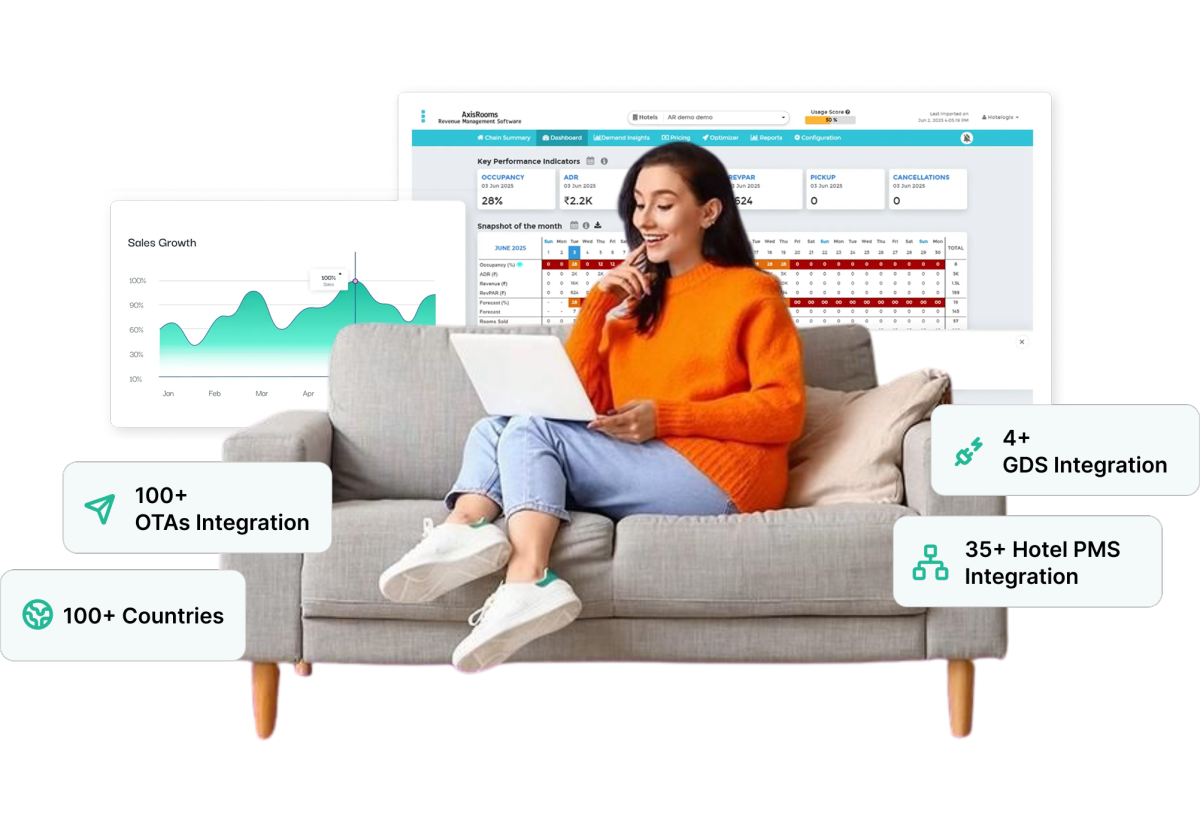
AxisRooms Channel Manager helps centralize distribution, allowing you to update rates, availability, and inventory across multiple OTAs from a single dashboard.
Key Capabilities:
- OTA Integrations: Connects your hotel to multiple OTAs, ensuring your rates and availability are updated everywhere in real time.
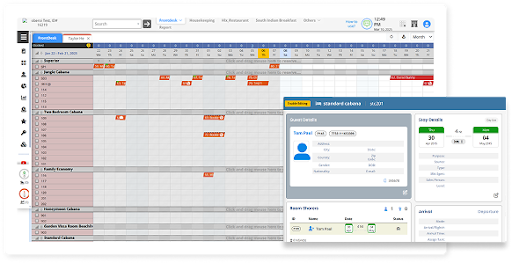
- PMS Integrations: Syncs reservations, cancellations, and guest data automatically between your property system and distribution channels.
- Payment Gateways: Enable secure, effortless online payments with support for multiple payment methods and faster booking confirmations.
- Channel Manager: Lets you update inventory and pricing across all platforms from one dashboard, reducing errors and overbookings.
- Revenue Management Service: Uses demand trends and market data to help you set smarter pricing and maximize revenue.
- Web Booking Engine: Allows guests to book directly on your website with real-time availability, helping you reduce OTA commissions.
Together, these capabilities create a connected ecosystem where your operations, distribution, and revenue strategy work in sync so you spend less time managing systems and more time growing your bookings.
Conclusion
Listing your hotel on Cleartrip is just the first step. What truly drives results is how consistently you manage pricing, availability, and visibility as demand changes.
Managing one OTA is simple. Managing 5, 10, or 20 OTAs manually is where errors and missed revenue begin.
That’s where channel management software for hotels like AxisRooms Channel Manager makes the difference, helping you keep every channel accurate while focusing on growing revenue.