

Travelers today compare hotel prices, reviews, and availability across multiple OTAs within seconds. If your hotel is missing from important booking platforms like Yatra, you’re likely losing visibility and potential bookings to competitors already present there.
Yatra remains one of India’s most trusted travel platforms for domestic and corporate travelers, especially across budget and mid-scale hotel categories. For hotels looking to increase online reach without adding operational complexity, listing on Yatra can become a valuable revenue channel.
In this guide, you’ll discover how to register your hotel on Yatra, improve your listing visibility, attract more bookings, and streamline inventory management across OTAs.
What Is Yatra Hotel Partner Registration?
Before setting up your property, it’s important to understand how Yatra’s hotel partner system works. Yatra Hotel Partner Registration is a free online process that allows hotels, resorts, homestays, and accommodation providers to list their properties on Yatra.com and start receiving bookings. Once approved, hotels can manage pricing, inventory, room availability, and reservations through the Yatra Partner dashboard.
For independent and mid-sized hotels, it acts as an additional distribution channel that improves online visibility without significantly increasing operational workload.
Why Hotels Should List on Yatra.com for Online Visibility
Yatra continues to attract a strong domestic traveler base, particularly in the budget, mid-scale, and business travel segments. For hotels looking to expand online reach, it offers consistent exposure across web and mobile bookings.
- High Visibility & Traffic: Access millions of travelers searching for stays across India.
- Corporate Traveler Reach: Yatra for Business helps hotels attract weekday and recurring corporate bookings.
- Real-Time Booking Exposure: Guests can instantly view availability and confirm bookings online.
- Diverse Traveler Segments: Reach leisure travelers, business guests, families, and homestay seekers.
- Simplified Partner Management: Dedicated partner support helps hotels manage pricing and inventory more easily.
For many independent hotels, Yatra works as a strong supplemental OTA channel that supports both occupancy growth and brand visibility.
Yatra vs Traditional Offline Hotel Distribution
| Distribution Method | Visibility | Booking Speed | Inventory Updates | Reach |
| Offline Travel Agents | Limited | Manual | Slow | Local |
| Single OTA Presence | Moderate | Faster | Manual risk remains | Medium |
| Multi-OTA Distribution via Channel Manager | High | Real-time | Automated | Wider domestic + global reach |
As hotels expand across multiple booking channels, centralized OTA management becomes increasingly important for maintaining pricing accuracy and operational efficiency.
Step-by-Step Guide to Register Your Hotel on Yatra.com
Getting listed on Yatra is fairly straightforward, but an accurate setup is important to avoid onboarding delays and improve listing quality from day one.
Step 1: Access the Registration Portal
Start by visiting Yatra’s official hotel partner registration page and keep all business details ready before beginning the onboarding process.
- Visit the official Yatra hotel registration page
- Keep property details and contact information ready before starting
Step 2: Fill Out Property Information
This step helps Yatra understand your property details, location, and accommodation category for listing approval and visibility.
- Add hotel name, address, category, and website details
- Enter check-in/check-out timings and nearby transport hubs
- Submit contact and applicant information accurately
Step 3: Submit KYC Documents
Hotels must upload valid business and tax documents to complete verification and avoid onboarding delays.
- Upload PAN card, GST details, and address proof
- Submit ownership or lease documents if required during verification
Step 4: Verification & Agreement
Once documents are submitted, Yatra reviews the property details and completes the onboarding verification process before activation.
- Yatra’s onboarding team reviews submitted hotel and business information
- Hotels may need to sign a partner agreement covering commissions and listing terms
Step 5: Set Up Partner Dashboard
After verification, hotels can configure their listing dashboard with room details, pricing, and inventory information.
- Upload room photos and amenities, and property highlights
- Add room categories, pricing, and availability details
Step 6: Go Live
After final approval, the listing becomes visible to travelers searching on Yatra’s website and mobile app.
- Review all listing details before publishing
- Start managing bookings, pricing, and availability from the partner dashboard
A properly configured listing reduces onboarding delays and helps hotels start receiving bookings faster.
Documents and KYC Details Required for Yatra Listing
Before starting registration, hotels should keep all required documents ready to ensure faster verification and approval.
- Company PAN Card: Required for identity and financial verification
- Address Proof: Valid business or property address documentation
- Identity Proof: PAN or government-issued ID of the owner/authorized person
- Bank Details: Needed for booking payout settlements
- GST Information: Required for tax compliance and invoicing
- Property Details: Accurate hotel name, address, category, and facilities
- Property Photos: High-quality images improve listing quality and conversions
Having accurate documentation from the beginning minimizes approval delays and reduces onboarding issues later.
How to Add Property Details, Rooms, Photos, Rates, and Availability
Once registration is approved, the next step is setting up your listing correctly so guests can easily discover and book your property.
Add Property Details
- Enter hotel category, star rating, and exact location
- Mention nearby attractions and transportation hubs
- Select all available amenities to improve filtered search visibility
Set Up Room Categories
- Create room types such as Deluxe, Suite, or Standard
- Add occupancy, bedding configuration, and inclusions like breakfast
Upload Photos
- Add high-resolution images of rooms, washrooms, the lobby, and amenities
- Use bright, professionally captured photos for better engagement
Configure Rates & Availability
- Set standard pricing and seasonal pricing updates
- Update room inventory regularly to avoid booking conflicts
- Use a channel manager to sync availability across OTAs in real time
Final Review & Go Live
- Double-check all information before submitting for final approval
- Yatra reviews content before publishing the listing live
A complete and accurate setup improves both search visibility and booking conversions on the platform.
How Hotels Can Drive More Revenue via Yatra.com Listings
Getting listed is only the first step. Hotels that actively optimize pricing, promotions, and listing quality typically see stronger booking performance over time.
- Implement Dynamic Pricing: Adjust room rates based on demand, seasonality, and competitor pricing.
- Optimize Listing Content: Use strong visuals and clear descriptions to improve click-through rates.
- Participate in Promotions: Join Yatra campaigns and special offers to improve visibility.
- Encourage Positive Reviews: Guest reviews influence ranking and booking confidence.
- Use API or Channel Managers: Real-time sync reduces booking errors and improves operational efficiency.
- Create Value-Based Packages: Offer breakfast, transfers, or family packages to stand out.
- Track Analytics: Use booking insights and guest trends to refine pricing and targeting strategies.
Hotels that consistently optimize rates, inventory, and guest experience generally perform better across OTA channels.
How to Improve Listing Quality and Booking Conversions
Guests decide quickly while browsing OTAs, which makes listing quality one of the biggest factors influencing bookings.
Key Strategies to Optimize Yatra Listings
- High-Quality Visuals: Professional images significantly improve engagement and conversions.
- Complete & Accurate Content: Fill every field, including amenities, policies, and descriptions.
- Dynamic Pricing: Keep rates updated according to market demand and seasonality.
- Manage Reviews: Respond actively to guest feedback to build trust and improve visibility.
- Use Promotions: Participate in Yatra campaigns to improve discoverability.
Improving Conversion Rates
- Offer Competitive Pricing: Price competitiveness strongly influences booking decisions.
- Provide Clear Information: Transparent policies reduce guest confusion and cancellations.
- Highlight Unique Selling Points: Showcase location, experiences, or standout amenities clearly.
Listings that stay updated, transparent, and visually strong tend to convert better across OTAs.
Manage All Your OTAs from One Place
Common Yatra Registration Mistakes to Avoid
Even small mistakes during registration or listing setup can delay approvals, reduce visibility, or create operational issues later. A clean, accurate setup helps hotels go live faster and perform better on the platform.
- Delaying Registration: Waiting until peak travel periods can slow approvals and reduce visibility during high-demand booking windows.
- Incorrect Business or ID Details: Mismatched PAN, GST, or contact information can delay verification and onboarding.
- Incomplete Documentation: Missing KYC documents or property details often result in repeated follow-ups and approval delays.
- Poor Listing Quality: Low-quality photos or incomplete descriptions reduce guest trust and booking conversions.
- Static Pricing Updates: Failing to adjust rates based on demand can lead to missed revenue opportunities.
- Manual Inventory Handling: Updating availability manually across OTAs increases the risk of overbookings and inconsistencies.
- Ignoring Reviews & Guest Feedback: Unmanaged reviews can negatively impact visibility and booking confidence.
- Not Monitoring Demand Trends: Ignoring seasonality and booking trends can affect occupancy and pricing performance.
Avoiding these common issues helps hotels maintain smoother operations, stronger listing visibility, and better booking performance over time.
Yatra Listing Checklist Before Going Live
Here’s a quick checklist to ensure your listing is complete before activation:
| Checklist Area | What to Complete |
| Registration & Verification | Complete partner registration and KYC verification |
| Documentation | Upload PAN, GST, address proof, and bank details |
| Property Details | Add correct address, location, and contact information |
| Inventory Setup | Configure room types, pricing, and availability |
| Photos & Visuals | Upload high-quality images of rooms and facilities |
| Amenities | Mention Wi-Fi, parking, AC, dining, and services |
| Policies | Define cancellation, check-in, and payment rules |
| Final QA Review | Submit the listing for approval before publishing |
A complete setup improves onboarding speed and increases the chances of stronger listing performance from the start.
Key Features of Yatra.com for Business Hotels
Yatra.com for Business is designed to simplify corporate travel management while helping hotels access a steady flow of business travelers and long-stay bookings.
- Negotiated Rates: Access exclusive corporate hotel rates and business travel deals.
- Massive Inventory: Reach travelers through 90,000+ domestic and 800,000+ international hotel listings.
- Corporate-Friendly Policies: Flexible cancellation, rescheduling, and pay-at-hotel options improve booking convenience.
- Real-Time Dashboard & Reporting: Track bookings, expenses, and travel reports from one centralized dashboard.
- Expense Management System: Automate expense tracking, approvals, and reimbursement workflows.
- Policy Compliance: Align hotel bookings with company travel policies and spending limits.
- Mobile App & Dedicated Support: Enable on-the-go bookings with 24/7 customer assistance.
- MICE Capabilities: Support group stays, corporate events, conferences, and off-site bookings efficiently.
These features make Yatra.com especially valuable for hotels targeting corporate travelers, business events, and managed travel bookings.
Key Benefits for Corporate Bookings on Yatra.com
Corporate travel continues to be an important revenue source for many hotels, especially during weekdays and non-peak leisure seasons.
- Negotiated Corporate Pricing: Access business traveler demand with special rates
- Centralized Billing: GST-compliant invoicing and expense management simplify operations
- Policy Compliance: Companies can manage approvals and spending policies efficiently
- Self-Booking Tool: Travelers can book directly through the web or mobile interfaces
- Detailed Analytics: Hotels and businesses can track travel spend and booking patterns
- 24×7 Support: Dedicated assistance for changes, cancellations, and emergencies
- Comprehensive Inventory: Access flights, hotels, buses, trains, and visa services in one platform
For hotels targeting business travelers, Yatra’s corporate ecosystem can help generate more stable booking demand.
How Hotels Can Manage Multiple OTAs with AxisRooms Channel Manager
As hotels start listing across Yatra, MakeMyTrip, Goibibo, Agoda, and Booking.com, managing inventory manually becomes difficult very quickly. Even a small pricing mismatch or delayed update can lead to overbookings, revenue loss, and poor guest experience.
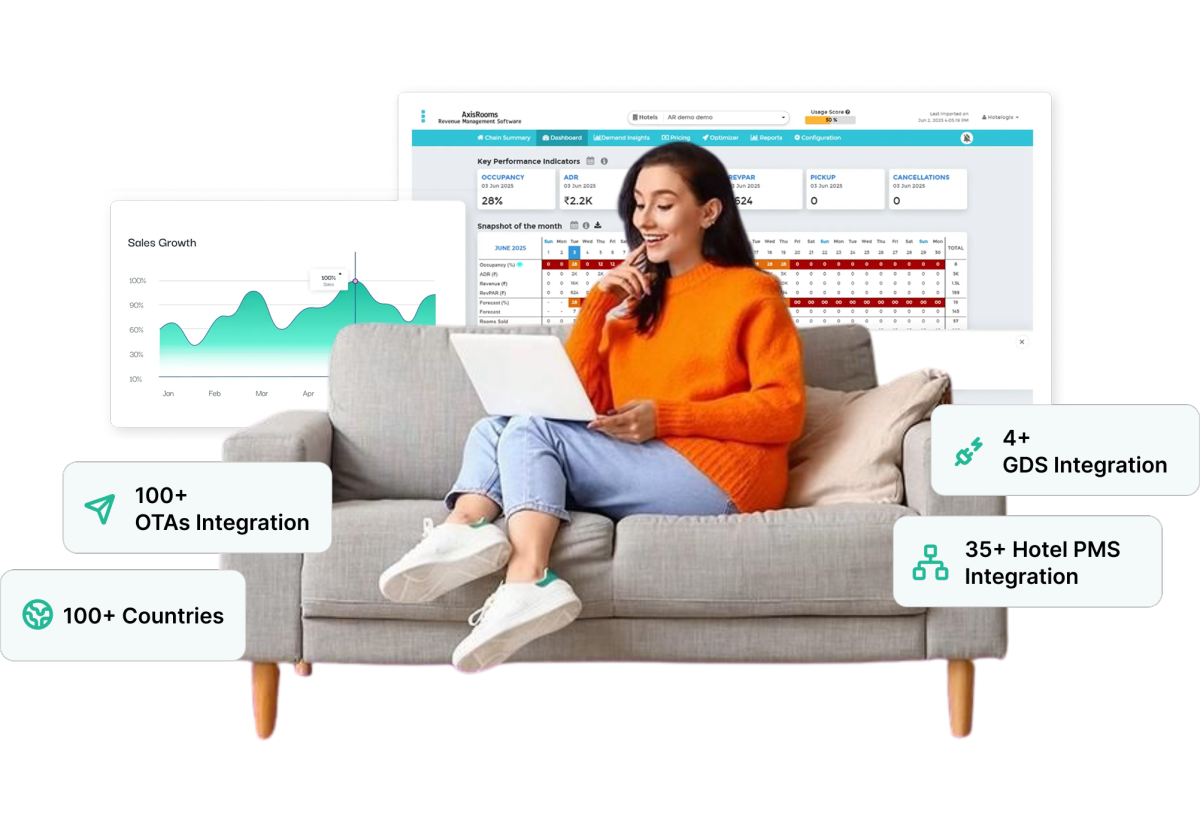
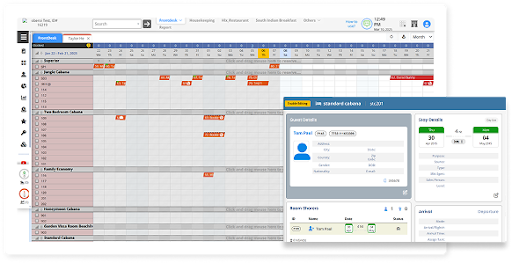
AxisRooms Channel Manager helps hotels manage rates, availability, and inventory across connected OTAs from one centralized dashboard with real-time synchronization.
Key Features
- OTA Integrations: Connect with major OTAs through one platform
- PMS Integrations: Sync reservations and inventory automatically
- Payment Gateways: Enable smoother booking and payment processing
- Channel Manager: Update pricing and availability in real time
- Revenue Management Service: Optimize pricing according to demand trends
- Web Booking Engine: Capture direct bookings efficiently through hotel websites
AxisRooms helps hotels maintain accurate distribution across channels while reducing manual operational workload.
Conclusion
Yatra can become a valuable booking channel for hotels looking to improve online visibility and attract both leisure and corporate travelers. But as OTA distribution expands, managing rates, inventory, and availability manually becomes increasingly difficult.
Managing one OTA is simple. Managing 5, 10, or 20 OTAs manually is where rate errors, overbookings, and missed revenue begin. That’s where a connected distribution strategy, such as AxisRooms Channel Manager, allows hotels to manage multiple OTAs from a single dashboard, reduce booking errors, automate inventory updates, and respond to market demand faster.
The goal is not just to list on more OTAs but to manage them efficiently while maximizing revenue opportunities.